
Mount Olive Court Docket Searches
Read the paperwork first. The county and court printed on your citation, summons, or notice set the route, because Mount Olive stretches into Wayne and Duplin counties. A street address or the issuing town's name will not settle venue on its own. When the notice points to Wayne County, go to the North Carolina eCourts Portal and narrow the results to the Wayne location. Smart Search there works with a case or record number, citation number, party name, attorney information, business name, cross-reference number, or even a nickname. When a match appears, open the public Case Summary. That Mount Olive court docket view can list case information, assignment, parties, events, hearings, dispositions, and financial information where applicable. Treat it as a lookup tool, though. It is not a certified copy. Registering for public access does not unlock restricted materials.
- Read the Mount Olive notice for the court and county designation before choosing a county filter.
- Search Portal with a citation number, case number, or another supported Mount Olive identifier.
- Confirm the court location and case type in the Case Summary before treating it as the right matter.
- Use Search Hearings for the current date, time, and location after venue is confirmed.
- Use the correct county clerk when a Mount Olive court file, official copy, or certification is needed.
Mount Olive Court Record Venue
Geography drives every Mount Olive court record question. The town reaches into both Wayne and Duplin counties. A case arising in the Wayne portion travels the Wayne court route. If the notice names another county, the Wayne Clerk is not the custodian of that file. Do not treat that office as the holder. That is why you should keep the citation or file number and the court notice close at hand. The town name alone cannot guide a Mount Olive court search. For a Wayne-filed Mount Olive case, start with the Portal Case Summary and Search Hearings. Then check the relevant Wayne calendar. Finally, go to the Wayne Clerk for the official file. A matter assigned elsewhere belongs to the county printed on the notice. Venue stays the controlling choice here. The County field is a legal routing detail. It beats the spot where an incident occurred or a Mount Olive mailing address every time. The Mount Olive court file simply follows the clerk in the county the notice identifies.
Venue first: Mount Olive connection → county and court printed on the notice → matching state-court search and clerk route.
Inside the Mount Olive Municipal Court
Mount Olive runs no separate municipal court. The town posts no municipal docket, court calendar, judge roster, citation database, or town payment portal of its own. There is no town court page to search for Mount Olive court records. Instead, the North Carolina District Court hears traffic infractions and misdemeanors. A Mount Olive Police citation filed in Wayne County moves through the Wayne District Court. Its Clerk handles the paperwork. Town Hall and the police contact remain town-government resources. A court date is beyond them. So is a Case Summary, court calendar, clerk copy, or state-court payment instructions. Knowing that boundary keeps a reader from treating an ordinary town contact as a judicial records desk.
Mount Olive Court Records and Town Hall
Mount Olive Town Hall and the Police Department share 114 E. James Street. The town's published number is (919) 658-9539, and the Police Department number is (919) 658-5031. Those Mount Olive contacts can help with town administration. They can also answer where a citation started. The judicial record sits elsewhere. For a Wayne-filed Mount Olive matter, that means the Wayne Clerk of Superior Court at 224 E. Walnut Street, Room 230, Goldsboro, (919) 722-6100. For the town-office context itself, use the Town of Mount Olive public page. It is the official source.
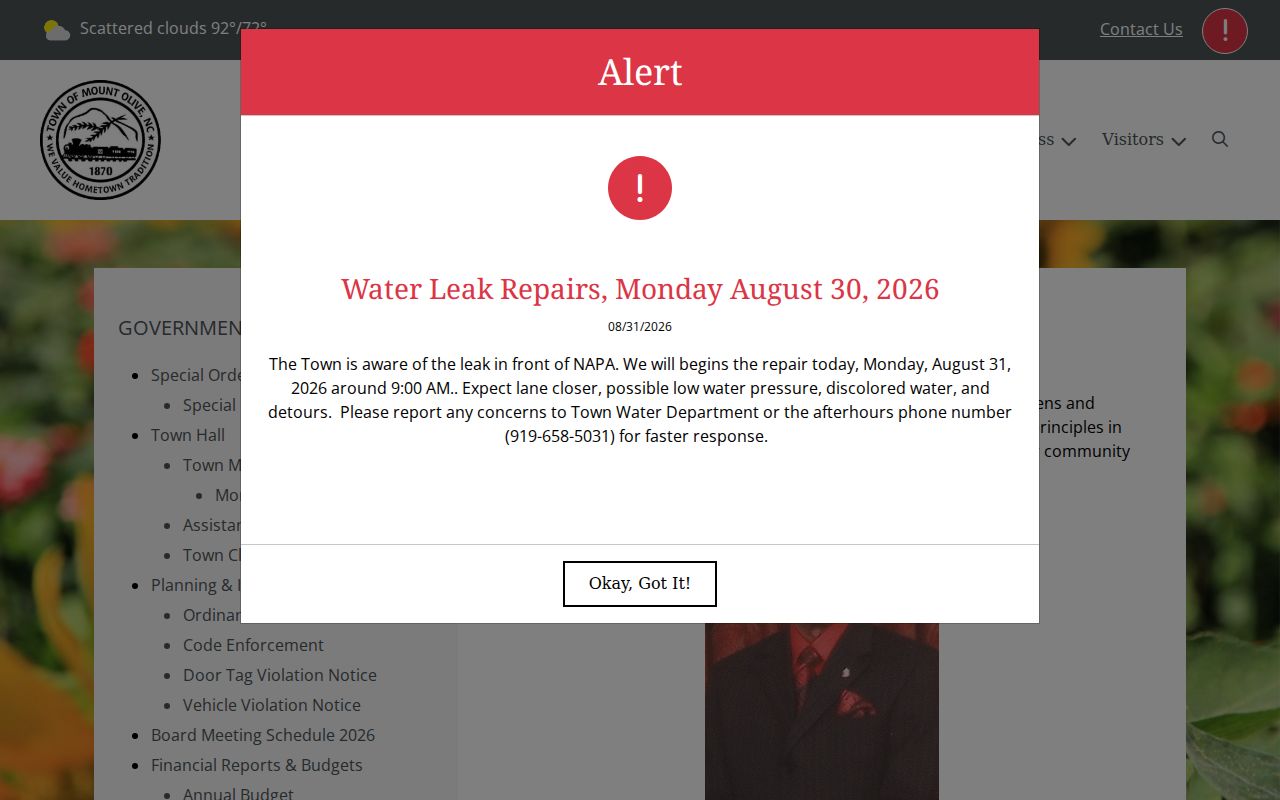
Mount Olive sits in Wayne County as a small town with its own Town Hall. The town-government offices handle municipal business there. Town Hall does not keep a Mount Olive court docket. No state-court case file lives in the building.
The 2020 Census counted 4,198 residents in the town. That number describes the community itself. It says nothing about court volume or citations in Mount Olive.
Finding Mount Olive Court Dates
A Mount Olive court date belongs to the state-court case named on the notice. For a Wayne case, open the Case Summary hearing area. Then run Search Hearings. It shows the current time and place. Wayne's local schedules page links the Portal. It also offers a District Court schedule and civil and criminal calendar routes. A town events calendar is not a Mount Olive court calendar. Wayne's local forms include a Calendar Request and a Request for Continuance. The court controls that setting process. When a later event, continuance, or notice conflicts with an older schedule, confirm the setting through the court or Clerk for the venue shown on the file.
| Case identifier | Connects the Mount Olive notice to its state-court record. |
|---|---|
| County and court | Determines whether Wayne filtering and the Wayne calendar are appropriate. |
| Hearing information | Search Hearings supplies current location and time for the matching case. |
| Case events | Place a Mount Olive setting within the public Register of Actions. |
| Disposition | Shows a recorded result or case status when available to the public. |
Mount Olive Court Docket Filters
Start with the notice, not the town name. Confirm which county stamped the case. Then set the Portal location filter to Wayne alone for a Wayne-filed Mount Olive matter. Smart Search adds public filters for case type, status, and filing-date range. Keep expectations modest. The public categories cover only part of the docket. Registering changes nothing. Case numbers in Portal's Enterprise Justice format run two-digit year, case-type letters, and a six-digit sequence. A three-digit county identifier completes the string. The training example 21CR000003-910 shows the shape only; it is not a Mount Olive case number. Pull the real code from the notice or the Case Summary. Guessing at a string, or trying to build one out of a town name, leads nowhere.
Mount Olive Traffic Ticket Lookups
Read the citation itself first. A Mount Olive traffic ticket belongs to whatever county and court the paper names, and a Wayne-filed ticket goes through the state Portal by citation number, with Search Hearings showing the current setting. Traffic infractions and misdemeanor traffic charges sit in District Court. Mount Olive has no municipal court for them. Whether a ticket can be paid depends on the state-court instructions and that citation, not on a counter at a town office.
The Wayne traffic court page covers county-wide payment rules. It also covers what happens after a missed date. Locally, the split is simple. A town contact can tell you where enforcement started, but only the court route confirms a court date, takes an eligible state-court payment, or shows the docket result.
Mount Olive Court Record Copies
A Portal display helps you locate a Mount Olive court record. It is not a clerk-certified document. Settle venue in Wayne, and the clerk takes over. The Wayne Clerk sits at 224 E. Walnut Street, Room 230, Goldsboro. That office handles file inspection, plain copies, certification, and any older public record that will not load remotely. The courthouse Kiosk gives another local option when a remote Mount Olive search stalls.
Under G.S. 7A-109, clerks keep the records, files, dockets, and indexes. Legal limits still apply. Paper files are viewed at the clerk's office in the county where the case sits. That rule bites harder for Mount Olive than for a town ringed by a single county.
How Mount Olive Cases Reach the County
A citation or state-court filing tied to the Wayne side of Mount Olive follows the Wayne court structure. District Court takes traffic and misdemeanors. Magistrates handle qualifying preliminary and small-claims matters. Superior Court carries felonies, major civil work, and qualifying appeals. The Wayne Clerk keeps the Mount Olive-connected court file at each state-court level.
Docket flow: Mount Olive enforcement or filing → county and court named on the notice → Wayne District Court or magistrate process when Wayne applies → Wayne Clerk record → Superior Court where required.
A Mount Olive court record does not turn into a town file just because a local agency wrote the citation. The designated court and county control the docket search and the official-copy path.
Mount Olive Court Docket Boundaries
Mount Olive posts no municipal-court caseload, traffic-citation total, municipal judge, or city court program. Countywide numbers cannot be relabeled as town figures. An honest Mount Olive court record page leans on the venue check, the state Portal route, and the correct clerk fallback. A guessed court volume has no place in it.
Calendars work the same way. A Wayne criminal or civil calendar can back up a Wayne-filed Mount Olive case once Portal confirms venue. It cannot show that every Mount Olive matter lands in Wayne County, and it should never be used for a case designated elsewhere.
Mount Olive Court Record Confirmation
Placement gets tricky here. The ticket may say Mount Olive, but the case itself is still unfound. Begin with the notice. Confirm the county, court, citation number, and case type. For a Wayne-filed Mount Olive matter, narrow Smart Search to Wayne. Pick the right public category too. If the notice names another county, stop the Wayne route and use that county's court channel instead.
A Mount Olive Case Summary may turn up next. Check the case number, assignment, parties, and hearing entry against the notice. Search Hearings gives the current time and place; the county calendar adds session context. An online summary tracks a Mount Olive matter well. But an order, clerk-issued copy, or certified document comes from the clerk who keeps the file. A shared surname or a town address is not proof of case identity.
- Case Summary
- The Portal’s public detailed view for the matching Mount Olive state-court case.
- Search Hearings
- The Portal tool for current hearing location and time after Mount Olive venue is confirmed.
- Certified copy
- A clerk-issued official copy, distinct from a Mount Olive public Portal display.
Note: Match the court and county printed on the Mount Olive notice before trusting any similarly named Portal result.
Who Can See Mount Olive Court Records
Access follows the holder. Mount Olive court records answer to the rules of the clerk and county holding the case. G.S. 7A-109 opens clerk-held records to public inspection unless a law says otherwise. A qualifying public Case Summary allows remote viewing. Even so, the Portal warns that its display is not the official court record. A Mount Olive result may come back empty. The cause may be county selection, spelling, migration, sealing, expunction, or another access limit.
Juvenile records, sealed or expunged material, protective-order restrictions, and other confidential files stay out of an ordinary public search. Mount Olive court record access is a case-reference route, nothing more. For a restricted item, the proper clerk is the stop; when eligibility itself is unclear, ask a qualified attorney.
Key Rules:
G.S. 7A-109 provides the baseline for public inspection of clerk records unless another law restricts them.
G.S. 7B-3000 withholds juvenile records from ordinary public inspection except as the statute or a court order allows.
Mount Olive Court Record Privacy
Juvenile records follow a special confidentiality rule set by state law. The G.S. 7B-3000 source spells out that protection in full. A Mount Olive court record search has to respect the line the statute draws, and using the Public Portal, with or without registration, never unlocks material the law keeps confidential.
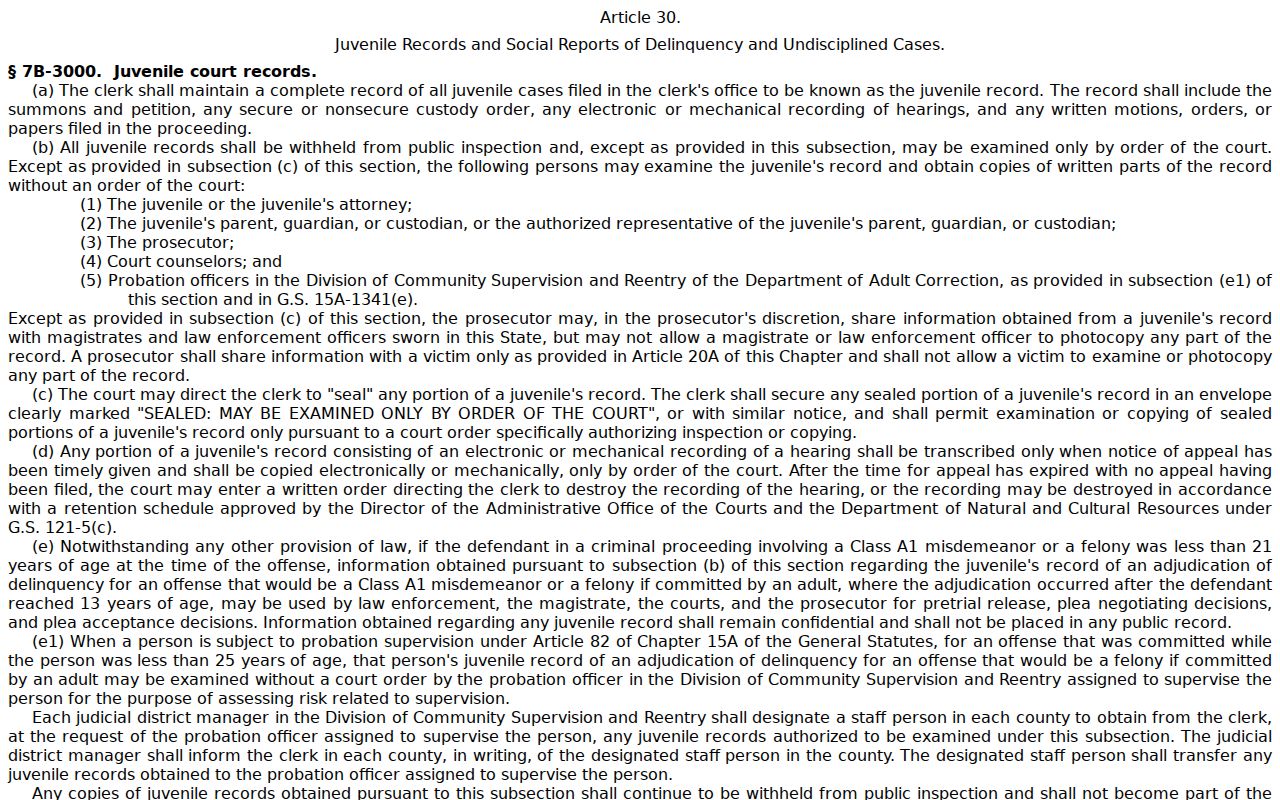
That statute governs juvenile privacy statewide, so it matters more to a Mount Olive court records lookup than any town-level docket would. Wayne County holds the actual filings for most Mount Olive cases. Note: Check the county named on every Mount Olive notice before you ask for an official copy, since the clerk who holds the file depends on which court took the case.