
Wayne County Criminal Docket Searches
Remote searching runs through the North Carolina eCourds Portal.
Its Smart Search takes several starting points. You can search by party, record number, citation number, attorney name or bar number, business, cross-reference number, or nickname. Set Wayne as the location, and choose the Criminal Actions category when the case type is known. The result list is only a first step. Open the matching Case Summary, also called the Register of Actions, to read the public case timeline.
Lead with your strongest identifier. A precise record number narrows results faster than a common name. Partial names follow a documented wildcard rule: at least three last-name characters plus an asterisk, and at least one first-name character plus an asterisk. Do not expect a public date of birth. That field is masked or restricted.
- Open Smart Search and enter a party, record, citation, attorney, business, cross-reference, or nickname criterion.
- Apply Wayne location and Criminal Actions filters, then add status or filing-date limits only when useful.
- Open the Case Summary and confirm its court, number, case type, and party information.
- Read Case Events, Hearings, Dispositions, and Financial Information where that section applies.
- Use Search Hearings and the criminal calendar to verify a current setting, then contact the Clerk for an official copy.
Wayne County Criminal Portal Filters
Smart Search goes beyond a defendant-name lookup. The Portal also filters by case status and filing date, plus its public category choices. Pick the tool that fits the question. Need a time or place right now? Search Hearings is the better tool. It accepts a case number, party or business name, attorney name or bar number, judicial officer, or courtroom. The two tools answer different questions: the Case Summary explains the record, while Search Hearings finds a current setting.
Registration is optional. Anonymous users can still search and view public information. A My Cases account only saves cases; it does not unlock restricted material. The same Portal offers NC Judgment Search, filterable by case type, status, location, and judgment date. That index can help locate a case, but it cannot replace the full criminal Case Summary.
Results and document images usually appear within minutes after upload to Odyssey, depending on daily processing volume. No fixed uptime window or pagination limit is published. If a page misbehaves, work the interface. The documented steps are Edge or Chrome, clearing the browser cache, private browsing, or another browser entirely. Those fixes change the screen, not the record.
Criminal Dockets: What They Show
Wayne County criminal results arrive as a Case Summary, not a bare list of court dates. Read identity and assignment sections first. Then work through the Case Events sequence, followed by the separate Hearings and Dispositions sections. The Portal materials confirm these components. No Wayne-specific dictionary of short event codes is published. So trust the full label in the actual case, and skip guessing at abbreviations.
| Case number | An Enterprise Justice identifier, such as the structural example 21CR000003-910, with year, case-type letters, sequence, and county identifier. |
|---|---|
| Case and assignment information | Basic classification and assigned court information used to confirm the correct criminal matter. |
| Party information | Public party-role information that helps separate similarly named cases. |
| Case events and hearings | A public timeline plus scheduled hearing information; Search Hearings provides current location and time. |
| Dispositions and financial information | Recorded result or status and, where applicable, court-related financial information. |
Wayne County Criminal Calendar Checks
Once a criminal Case Summary is in hand, compare its latest hearing with two other sources. One is the Wayne criminal calendar. The other is Portal Search Hearings, and the county's local schedules page links both. A calendar is just a scheduling publication. A later Portal entry, Clerk confirmation, or court order controls when information conflicts. Use the calendar for session context. Search Hearings answers time and place directly.
The official Wayne criminal calendar interface is the state court's access point for local criminal court dates in Wayne County.
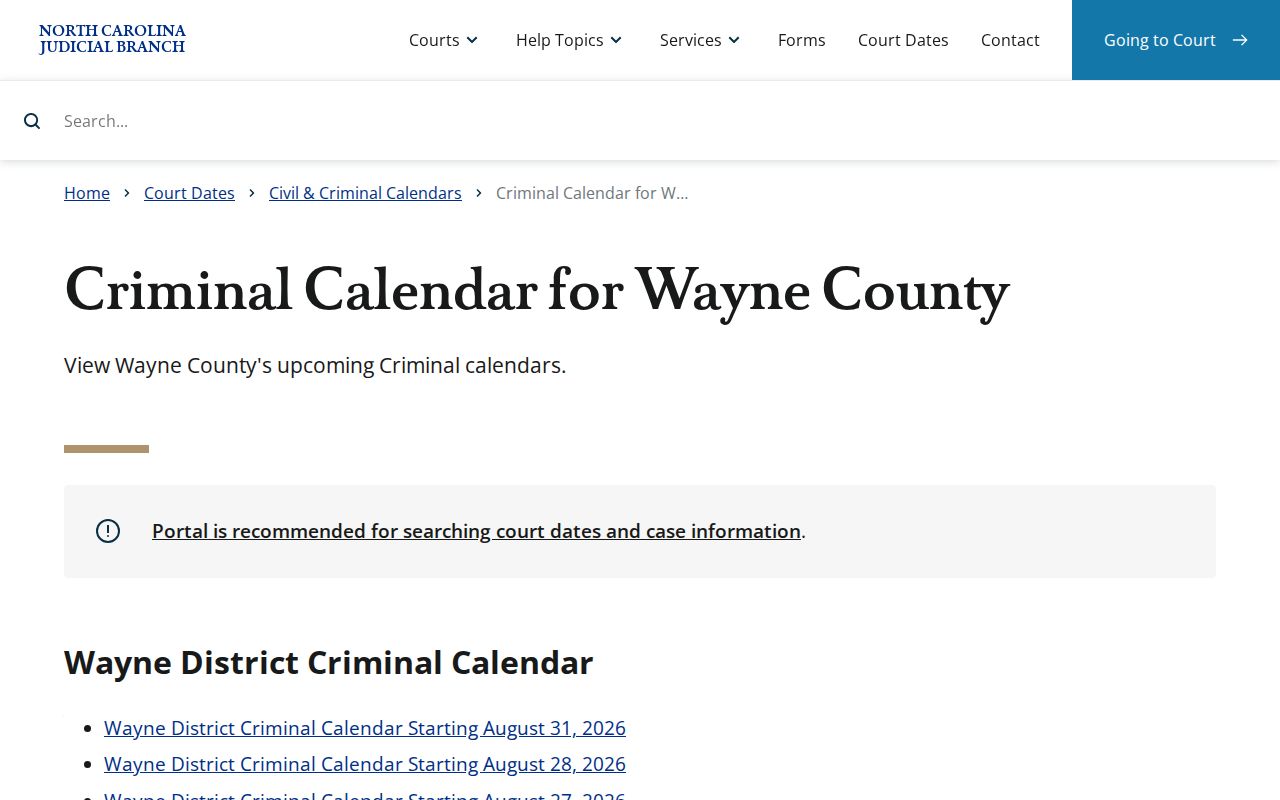
An older calendar entry is not the final word on a current setting. Use the calendar beside the Case Summary, never in place of it.
Criminal Case Stages on the Docket
A criminal record builds through court events, but no fixed Wayne event order covers every file. The arc is still readable. Look first for the opening charge or filing. Then spot the first appearance or arraignment when present, pretrial activity, a plea or trial event, a disposition, and any sentencing-related activity. The reliable method never changes: read the displayed events in time order. Check the current hearing separately.
Docket flow: Charge Filed › Arraignment or First Appearance › Pretrial Activity › Plea or Trial › Disposition › Sentencing
Event labels vary by case. The Case Summary shows the sequence. But it certifies no charge, no final disposition, and no document image. For official copies, use the Clerk's record route.
Wayne County Criminal Migration Timing
Wayne joined eCourts Track 8 on April 28, 2025. That brought Enterprise Justice, File & Serve, and the Portal to the county. Older events that migrated into Odyssey can show a time of 12:00 AM. That is a conversion artifact, not a midnight hearing. Compare the event's date and description with the case history. For a live setting question, use current hearing tools.
This matters most when an older criminal record is read as a timeline. Going online did not digitize every historic paper file. It also did not make the Portal the official record. A missing image or unclear historical entry points back to the courthouse Kiosk, Clerk counter, or the correct clerk division.
Wayne County Criminal Docket Courts
Wayne County splits its criminal dockets by court level, not by clerk system. Felonies belong to Wayne County Superior Court, part of North Carolina Superior Court. Misdemeanors and infractions go to Wayne County District Court, while magistrates take listed preliminary matters and some pleas or waivers on minor charges. One office sits behind all of it. The Wayne County Clerk of Superior Court keeps the unified local docket and file. It covers every one of these state court lanes.
Why does the split matter? It points you to the right calendar. It also gives you the right phone line for confirming a court date. It does not send you hunting through a separate municipal court system. None exists for Wayne's municipalities. A District Court case and a Superior Court case can both surface through the same state Portal first, then be confirmed through the proper court channel.
Wayne County Criminal Clerk Routes
When the public Portal comes up short, the Clerk is the local fallback. Need a certified document? Same answer. The Wayne County Clerk of Superior Court sits at 224 E. Walnut Street, Room 230, Goldsboro, NC 27530. The main number is (919) 722-6100. The courthouse Kiosk offers most Portal functions. Downloads and payments, though, work only through the Portal itself. Paper and electronic files both run through the Clerk, not a separate criminal-docket vendor.
For questions about a hearing date, call the right channel. Superior judges can be reached at (919) 722-6281. District judges are at (919) 722-6250. Magistrate services are at (919) 722-6270. The Clerk or the Criminal District or Criminal Superior staff can also point you to the correct records route. A phone call helps you find the right office. It never substitutes for a Clerk-issued copy or a court order.
Order your steps when one screen cannot answer the case question. Search remotely first. Then inspect the local Kiosk or the file at the Clerk's office when needed, and send any copy or certification request to the correct clerk division. The Court Records help material states that paper files are viewed at the clerk's office in the county where the case is located, and that staff can make copies for a fee. The same unified Clerk keeps the local file no matter which criminal division the case sits in.
Access Rules for Criminal Dockets
G.S. 7A-109 gives the public the right to inspect clerk records during regular office hours. Another law can block access. That statute anchors the public criminal Case Summary and the Clerk's public file process. It does not promise everything shows up online. Juvenile records, unreturned criminal warrants, and protective-order material are named Portal restrictions. Sealed or expunged records also drop out of ordinary public Portal view.
Key rules: G.S. 7A-109 makes clerk records and dockets open to inspection unless law provides otherwise. G.S. 7B-3000 keeps juvenile files from ordinary public inspection. G.S. 15A-145.7 describes one adult-expunction path, but eligibility must not be inferred from a public search result.
A search that returns nothing can stem from spelling, venue, category, number format, migration timing, or a restriction. Registering an account does not unlock a sealed, expunged, juvenile, or otherwise protected record. Ask the Clerk about record custody, and seek qualified legal advice on access or eligibility questions.
Wayne County Criminal Case Summary Limits
A public Case Summary is handy for following events, hearings, dispositions, and public documents. It is still not an official certified court record. Portal information usually appears within minutes after upload to Odyssey, subject to daily processing volume, but the court's official copy stays with the Clerk. Is a document missing online? Go to the Clerk counter, the Kiosk, or the right division. Do not assume the case has no file. The adult-expunction statute shows one reason public display can change after a court order.
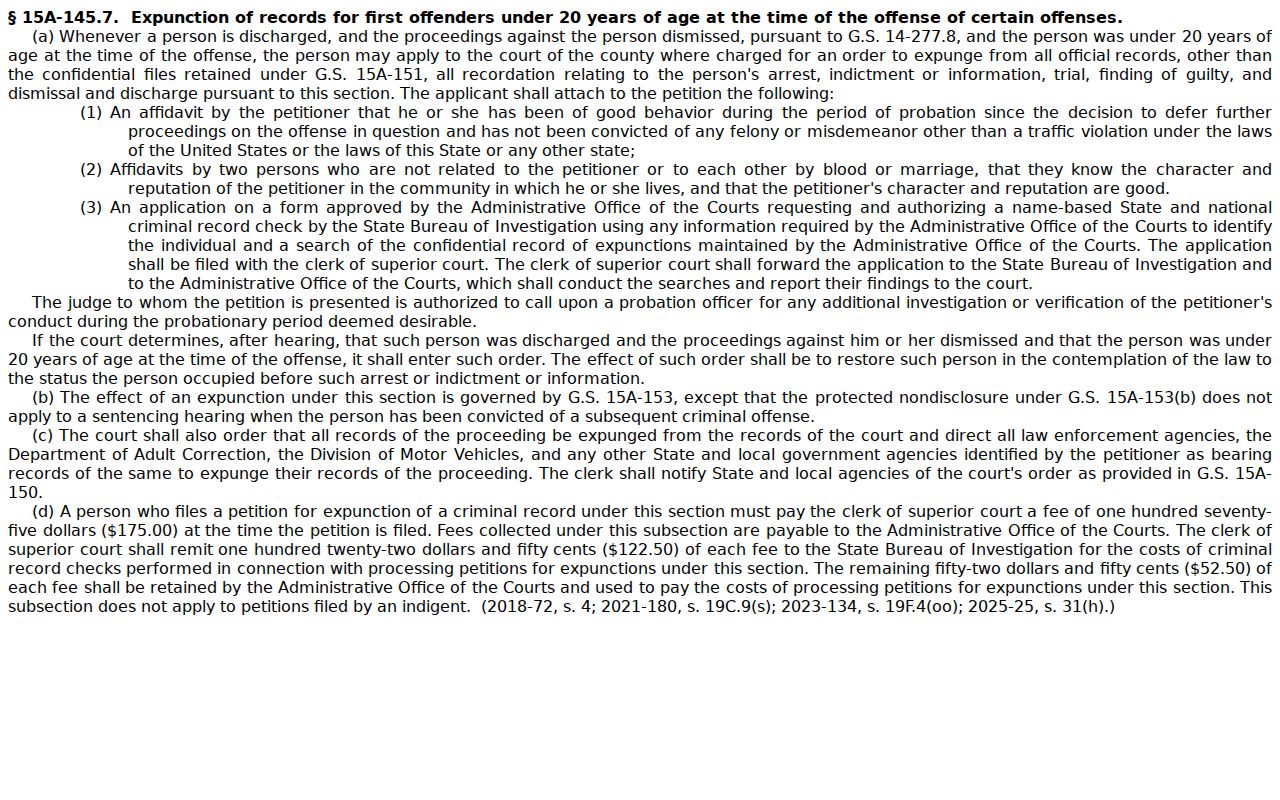
Access rules rest on statute and court action, not on a searcher's Portal account.